
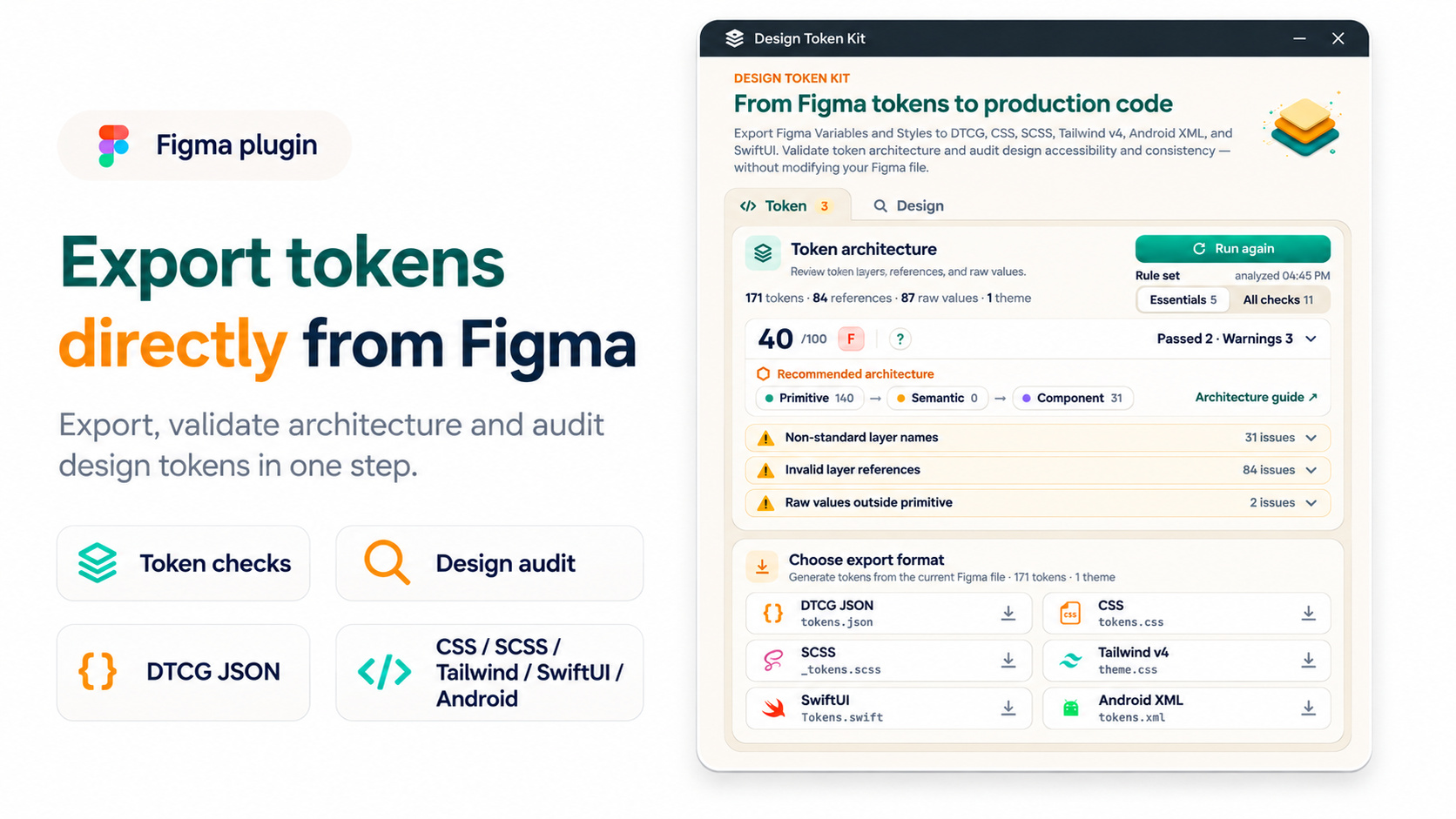
Check and export from the source
Use the Token tab to review architecture and export local Variables and Styles. Use the Design tab to audit text contrast and token usage without changing the Figma file.
Figma plugin
Export local Variables and Styles to DTCG, review token architecture and design findings, then generate platform output from the same token source.
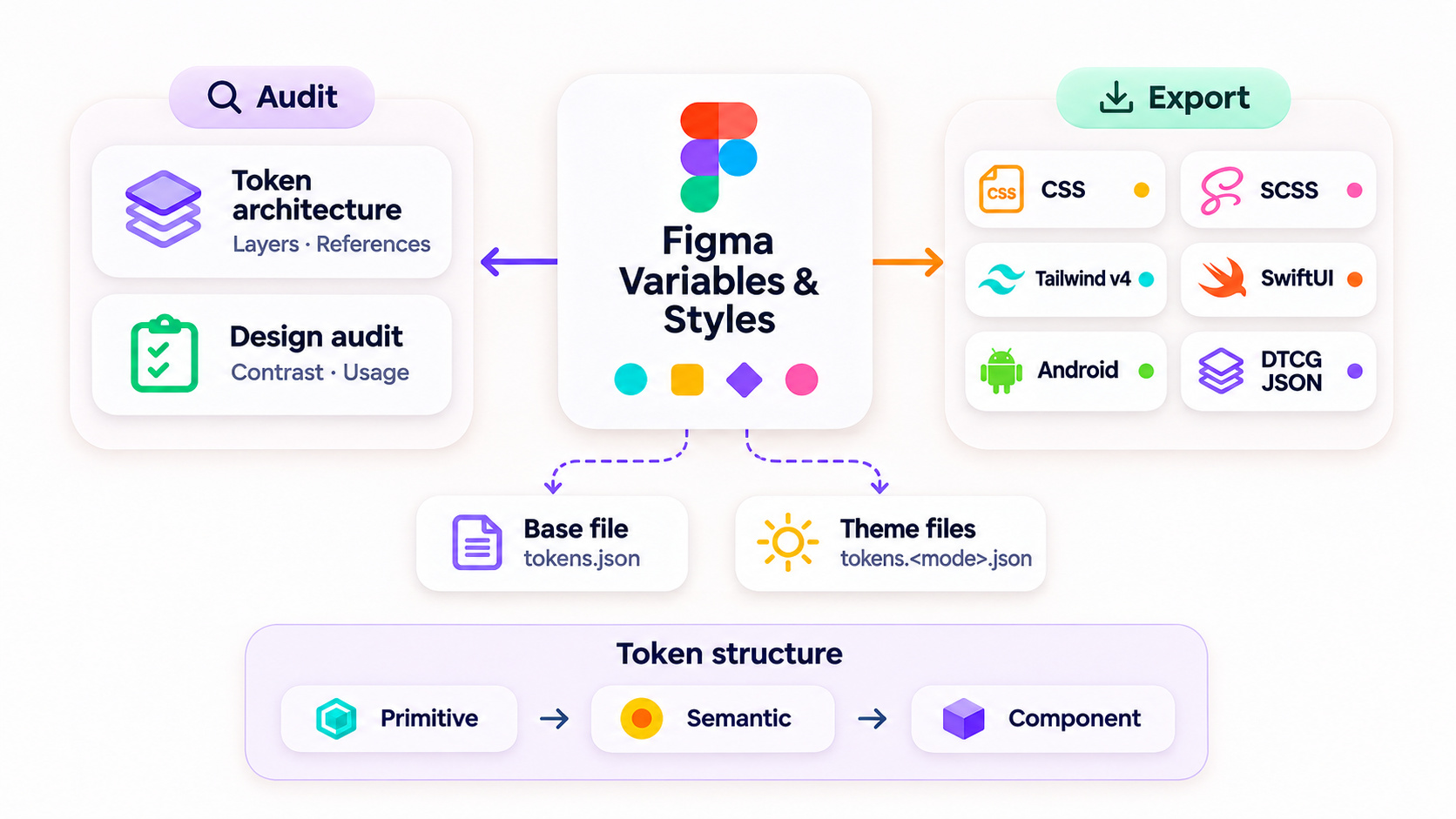
Plugin workflow
Start with the design file, make the token structure visible, and generate the files each platform needs.
Use the Token tab to review architecture and export local Variables and Styles. Use the Design tab to audit text contrast and token usage without changing the Figma file.
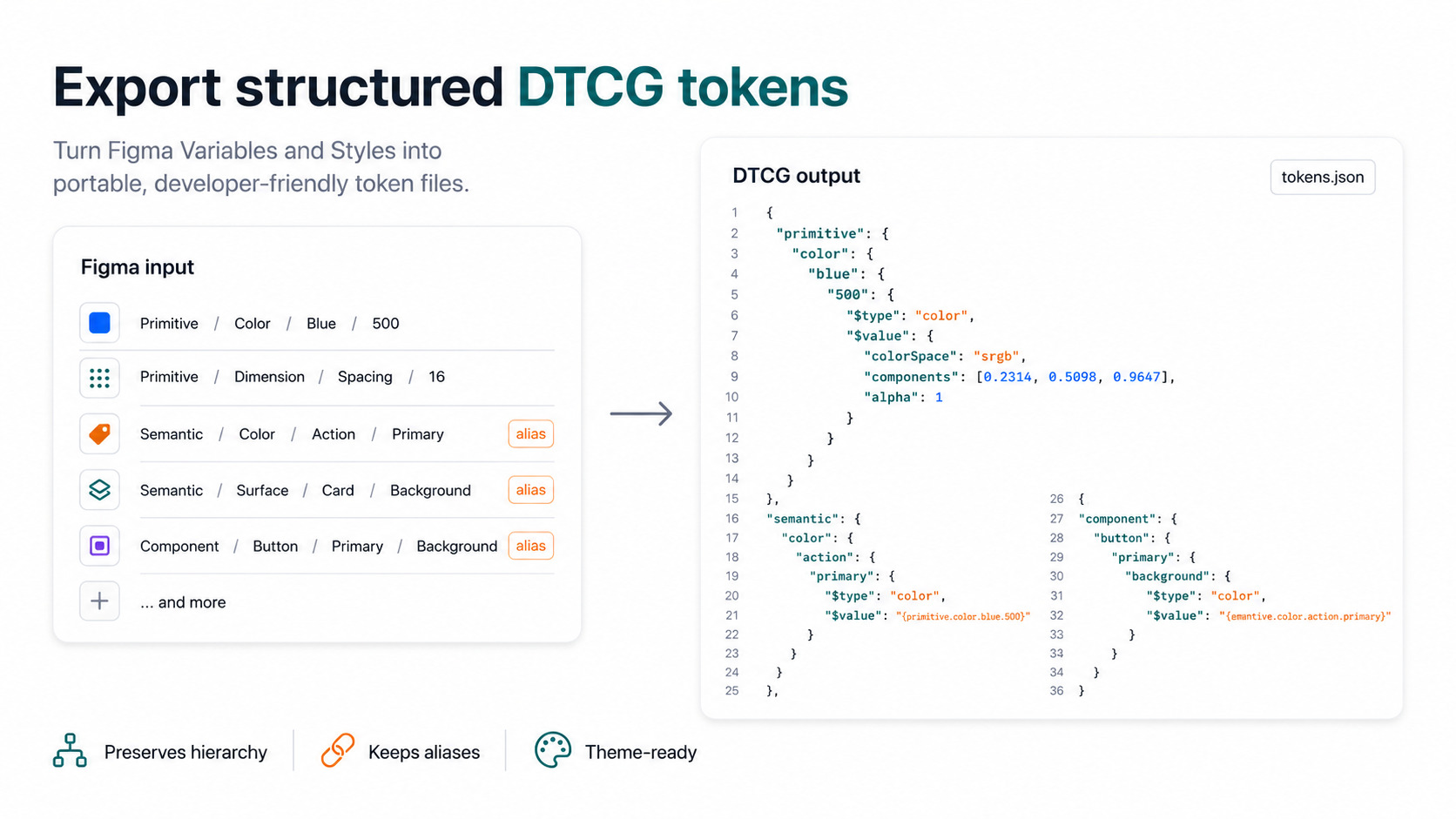
Create portable token files with paths, types, values, and compatible local aliases. Variable modes are written as separate theme files.
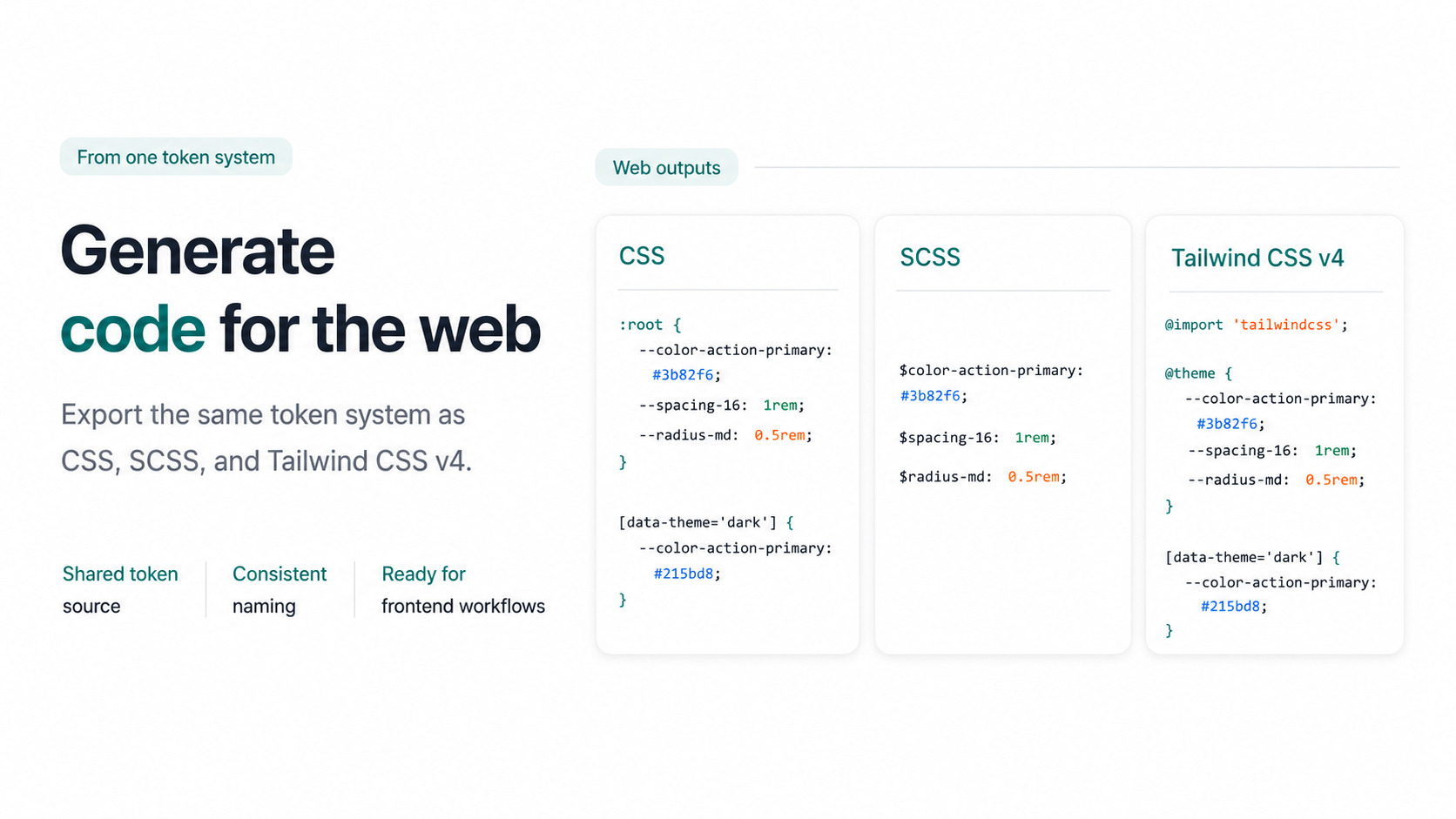
Convert the DTCG export into CSS custom properties, SCSS variables, or a Tailwind CSS v4 theme from the same token source.
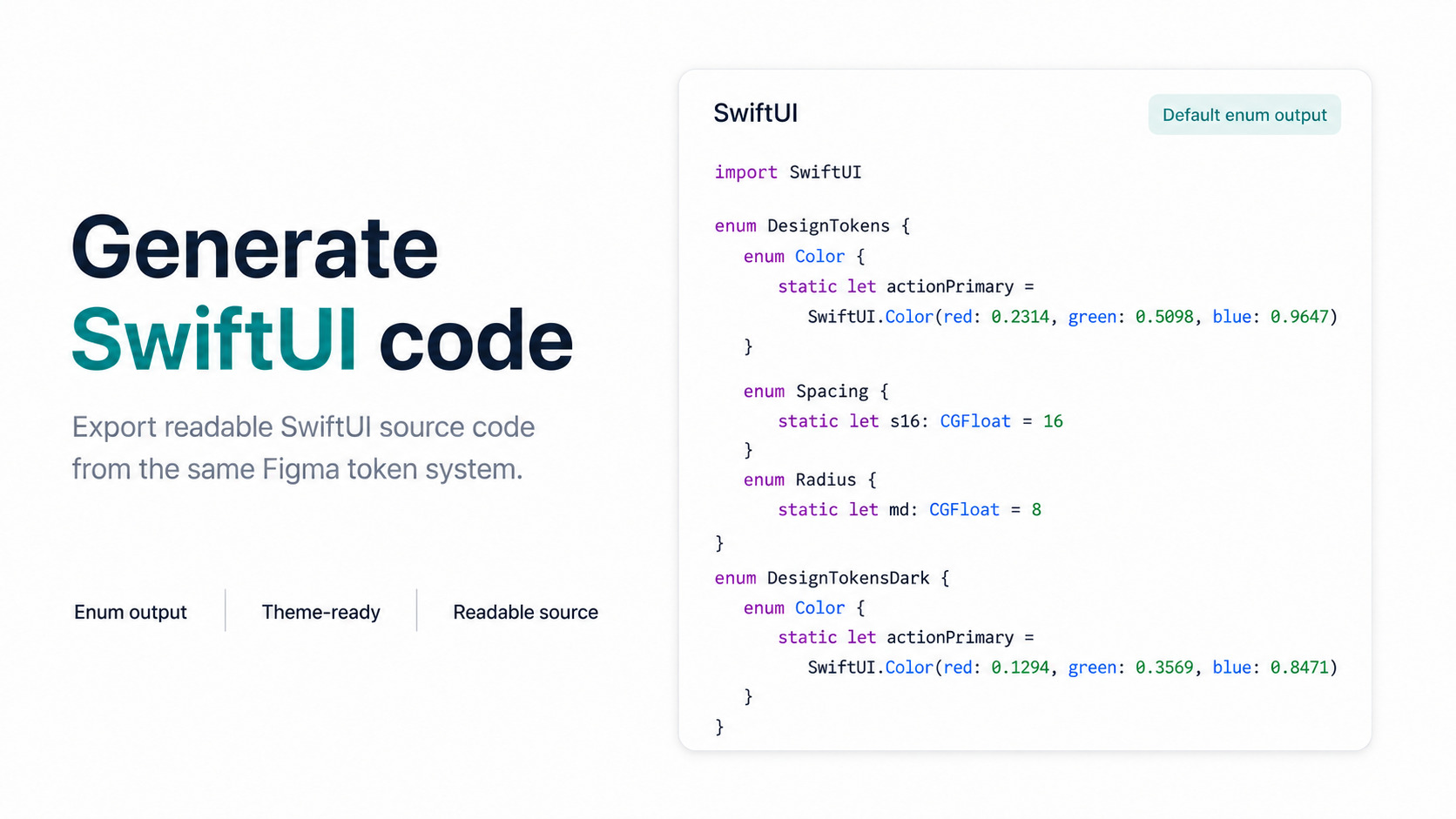
Generate a readable DesignTokens.swift file from the exported token set, including the values your SwiftUI views consume.
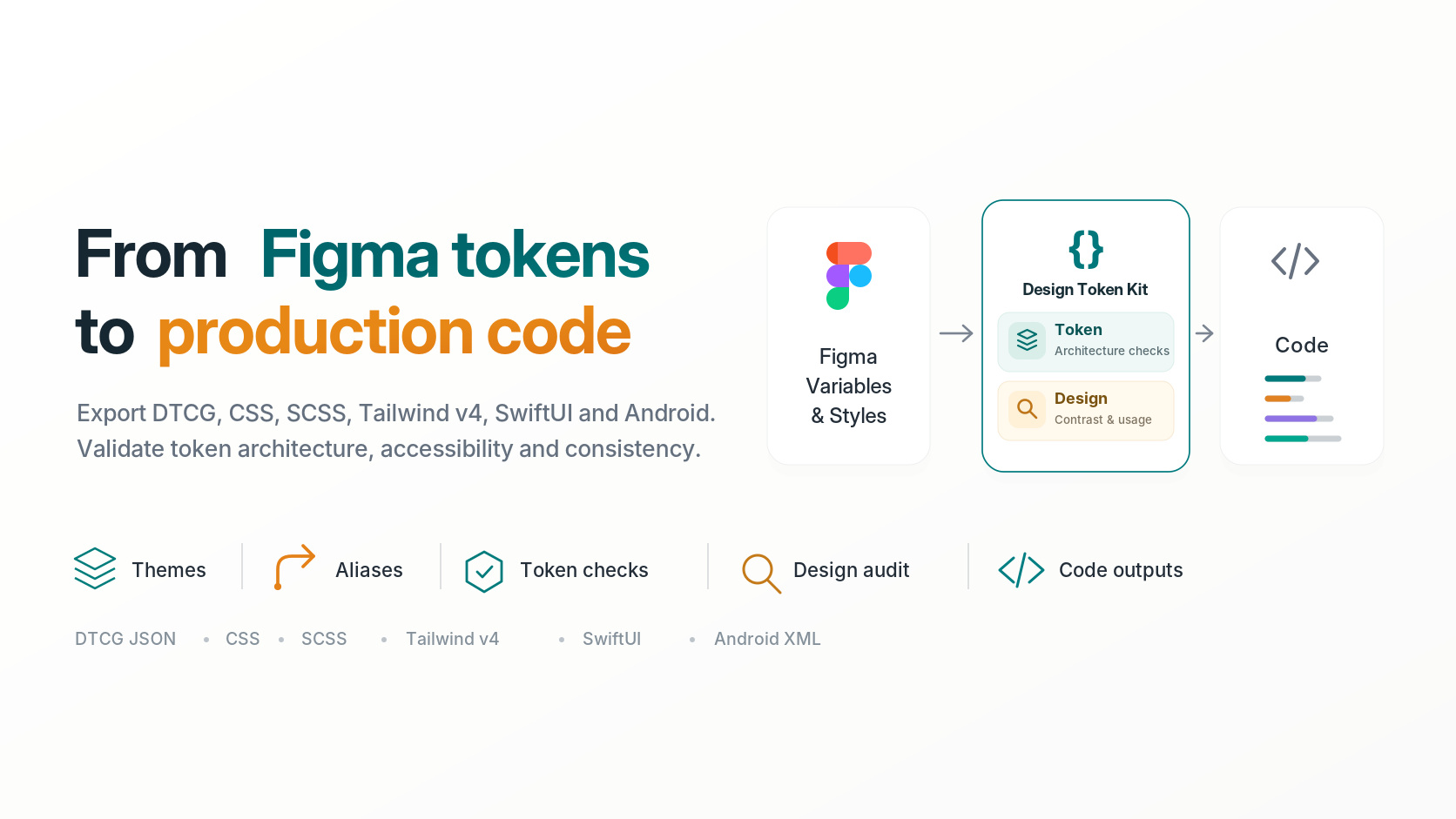
Start with DTCG and theme files from Figma, then use the CLI or Core API when the same token contract needs to move through your build.
Install from Figma Community